
Logging and timestamping
Although numerous methods exist for logging and tapping in-vehicle network data, devices supporting the Capture Module Protocol (CMP) offer exceptional power and flexibility in our experience.
Analyzing in-vehicle network traffic is crucial for debugging, troubleshooting, and performance optimization in modern vehicles, which employ a wide range of communication technologies (CAN, CAN-FD, FlexRay, LIN, Automotive Ethernet BASE-T1, SerDes, Analog, etc.) between sensors, ECUs, and actuators. A robust solution for capturing and recording this data, especially Ethernet traffic, requires several key features: comprehensive data type support, precise time stamping and synchronization via 1588 or gPTP, and efficient data transfer over a standard Ethernet (BASE-TX) network to a PC or dedicated logger using Layer 2 Ethernet MAC frames.
Understanding how vehicles collect and store in-vehicle network data and why it’s key for testing, validation, and safety
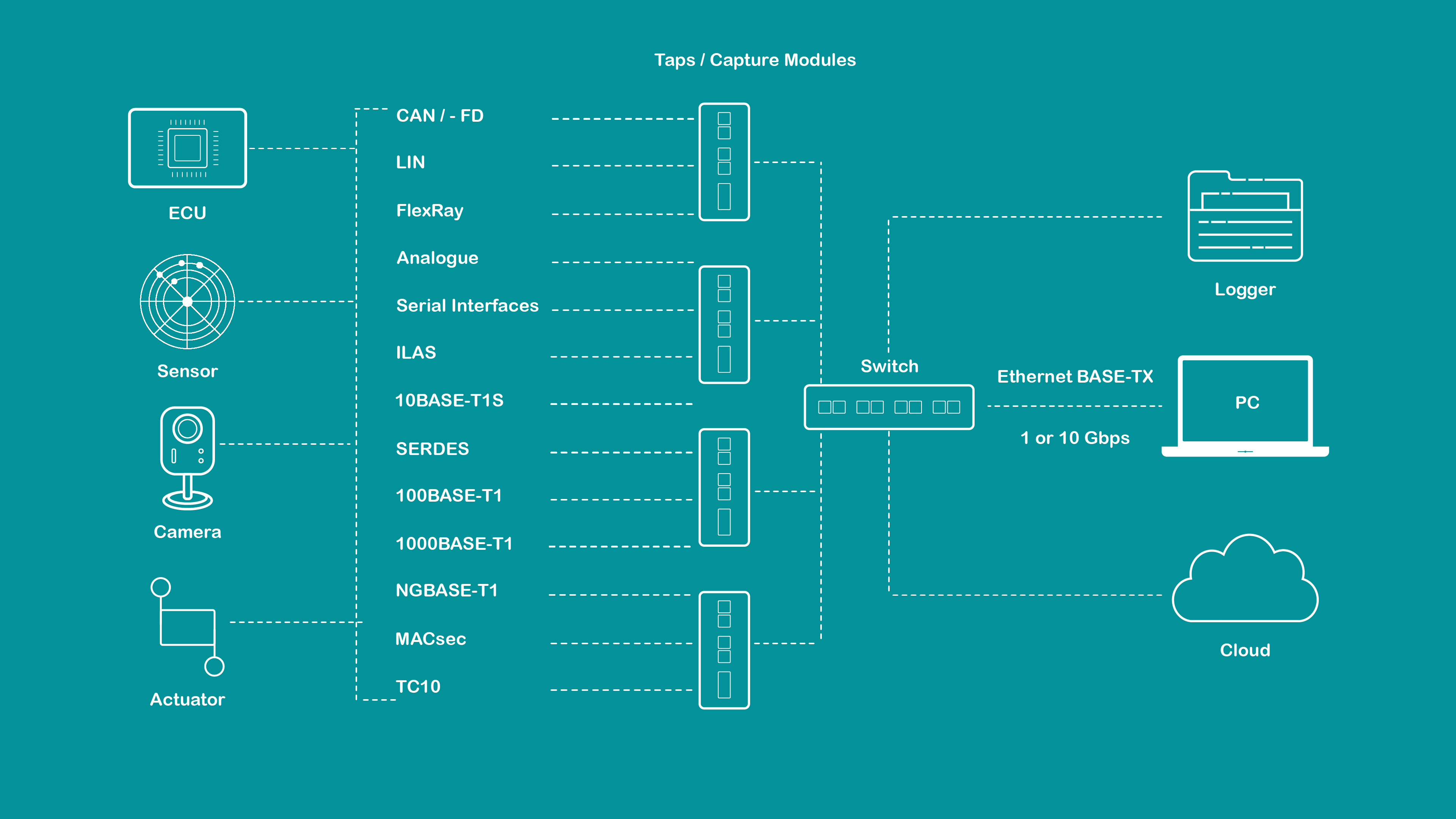
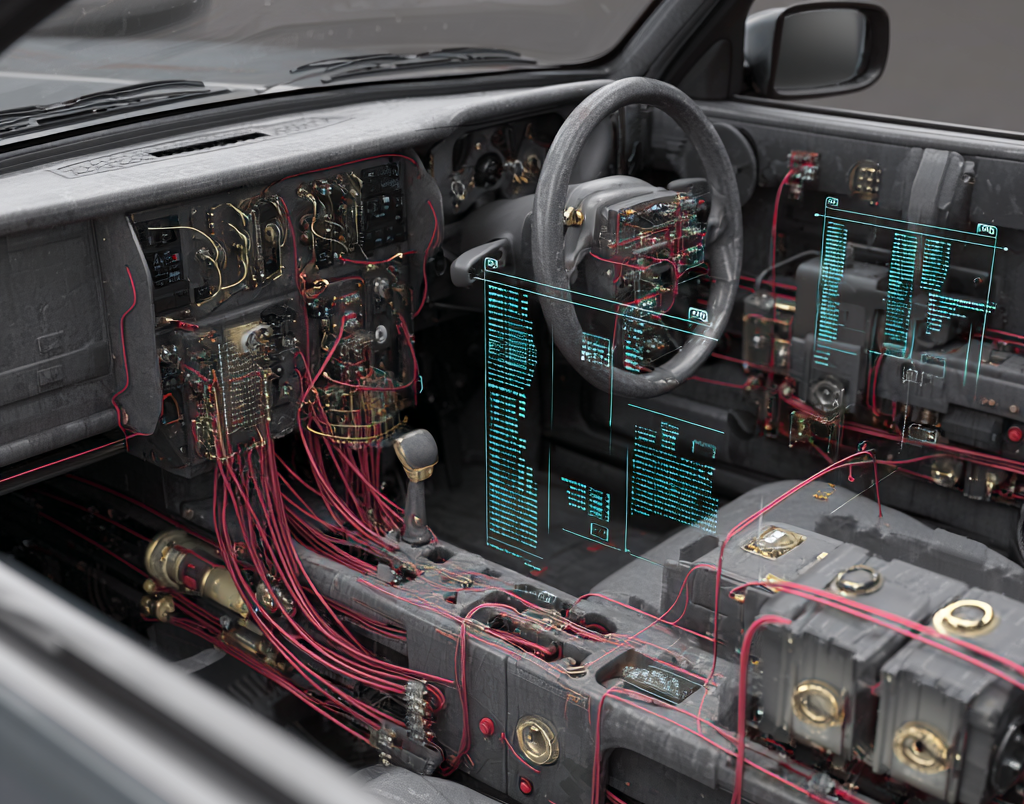
Every vehicle today runs on data from sensors, cameras, ECUs, and communication systems. Data capture and tapping are essentially the same processes for collecting information from in‑vehicle networks (IVNs) in real time. Recording means securely saving it so engineers can study it later for testing, analysis, and development.
Think of it as the “black box” of your development process, more intelligent, faster, and designed for connected and autonomous systems.
Accurate data capture and recording help engineers understand what’s happening inside a vehicle at every moment. Whether it’s testing a new ADAS feature or diagnosing communication issues, clean and complete data saves time and prevents costly errors.
Syncs video, radar, LiDAR, and ECU data for precise sensor fusion
Helps compare performance across multiple vehicles with consistent logging
Enables controlled testing and faster validation of new network setups
Provides reliable recording even in trucks working near mining sites or rough conditions
Sensor logs (camera, radar, lidar, GNSS, etc.) are used to create a "ground truth" reference
This enables validating perception algorithms by comparing real-world sensor inputs to expected outputs (e.g., object detection, lane recognition)
Logging allows exact replay of real-world situations (e.g., critical edge cases)
Enables developers and testers to recreate and analyze the same scenario repeatedly in a simulation or HiL (Hardware-in-the-Loop) environment
Ensures bugs can be identified and fixed deterministically
Recorded data forms the basis for training and testing AI/ML algorithms
Enables development of perception, fusion, and decision-making modules based on real-world sensor behavior
Logging in diverse conditions (e.g., night, snow, city, highway) helps identify corner cases and system limitations
Critical for building robust and safe AD/ADAS systems that perform reliably in all conditions
Logging allows you to compare software versions or hardware configurations using the same input data
Helps benchmark the performance of the perception stack (e.g., accuracy, latency, false positives/negatives)
Logged data is used for safety analysis, traceability, and documentation
Critical for ISO 26262, SOTIF, and other functional safety standards
Helps in compliance reporting and audits for homologation or insurance purposes
Real sensor data helps identify and resolve:
- Sensor alignment/calibration issues
- Signal integrity problems (e.g., timing mismatches, noise)
- Software errors in fusion, tracking, or control logic
Logged data feeds re-simulation environments and HiL rigs to validate ECUs and perception stacks before vehicle integration
Supports software-in-the-loop and replay-based validation without needing repeated real-world test drives
In production fleets, logging enables over-the-air diagnostics, OTA validation, and fleet learning
Helps improve system behavior with real-world usage feedback ("shadow mode" analysis)
The Capture Module / TAP performs data capture and encapsulation, timestamping, filtering, traffic shaping, and much more, ensuring accurate, lossless data acquisition across vehicle networks. The Capture Module (or TAP) is responsible for acquiring all In-Vehicle Network (IVN) signals (such as Ethernet, CAN, and LIN) and converting them into a clean, timestamped format. It guarantees accurate, lossless data acquisition across vehicle networks by performing functions like data capture, encapsulation, timestamping, filtering, and traffic shaping. The use of gPTP ensures all data remains in sync and that no messages are missed.
Converts IVN data into Ethernet-based TECMP & CMP (Capture Module Protocol)frames including device ID, channel ID, and timestamp
Hardware timestamping ensures precise time alignment with synchronization correction
Includes interface ID and data loss counter in TECMP and CMP frames
Supports multiple interconnected modules for flexible logging networks
Compatible with IEEE 802.1AS and IEEE 1588‑2008 standards
Internal buffering prevents data loss during boot phase
Advanced rule-based pre‑processing with multiple configurable actions
Manages bandwidth and prevents packet loss under heavy load
Maintains link state consistency between ECUs
Enables controlled data injection from logging sinks to ECUs
Generates regular module and configuration status updates for diagnostics
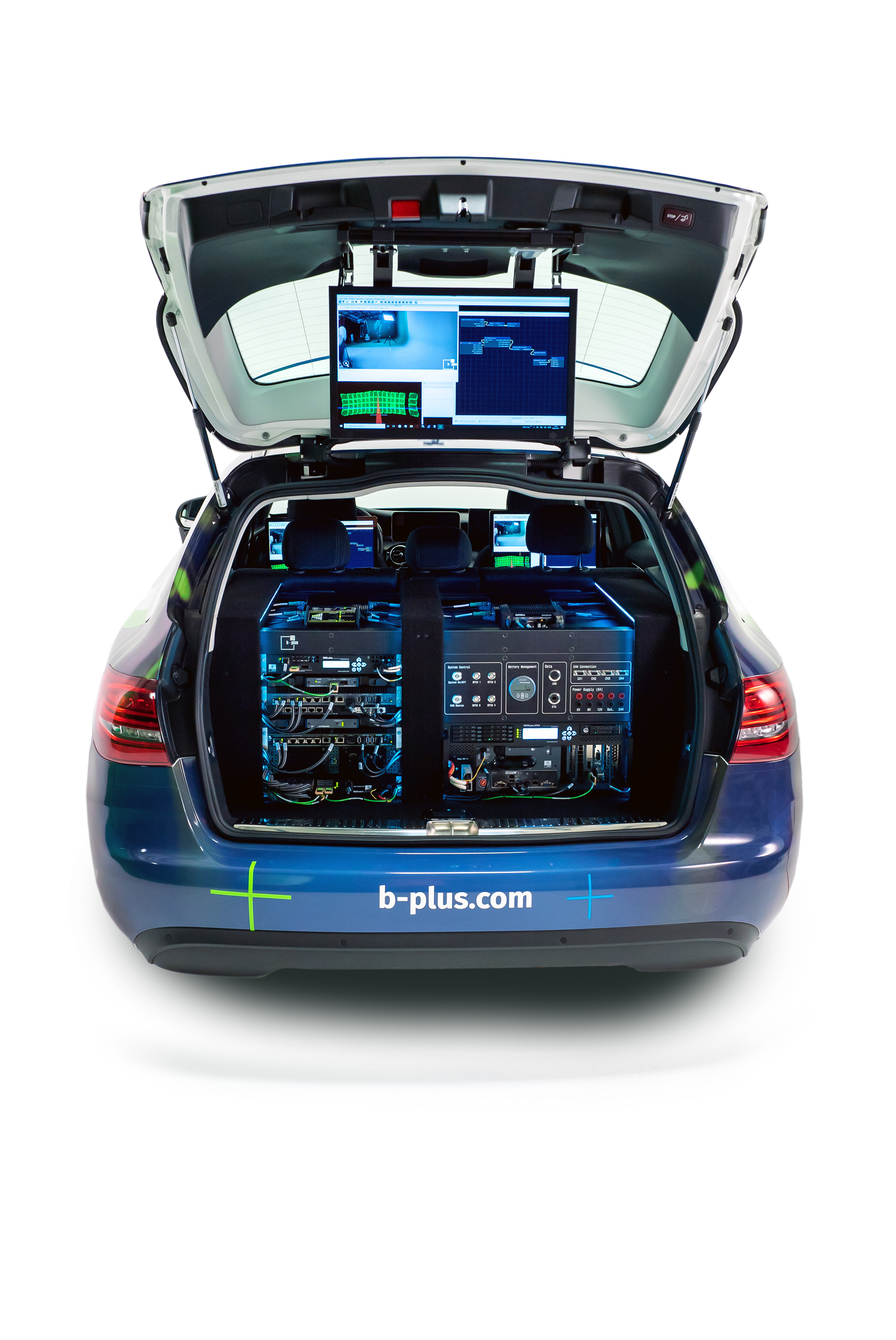
Modern data loggers like the b-plus BRICK and DATALynx series push the limits of in-vehicle recording, capturing, synchronizing, and processing massive data streams from cameras, sensors, and ECUs with precise timing and zero packet loss. Designed to be rugged, modular, and scalable, they reliably handle high-speed data across all sensor domains.
Records high‑res camera, radar, LiDAR, and Ethernet traffic simultaneously without loss
Interfaces with all ECUs and sensor types seamlessly
Handles terabytes of data at 10 GbE speeds
Sub‑microsecond accuracy using GPS, IEEE 802.1AS, or XTSS
Handles terabytes of data at 10 GbE speeds
Sub‑microsecond accuracy using GPS, IEEE 802.1AS, or XTSS
Expand storage, add GPU units, or integrate new sensor ports easily
Operates flawlessly across harsh temperatures and vibration conditions
Hot‑swappable SSD modules simplify data management in the field
Enables real‑time setup, monitoring, and quick data visualization
These advanced loggers ensure complete, synchronized, and high‑integrity data for development in ADAS, autonomy, and beyond.
After recording, engineers can visualize and analyze the data, identifying timing issues, performance gaps, and unexpected behavior. This helps speed up debugging, validation, and overall system improvements.
After recording, engineers can visualize and analyze the data, identifying timing issues, performance gaps, and unexpected behavior. This helps speed up debugging, validation, and overall system improvements.
Track every data packet in real time across Ethernet, CAN, LIN, and other IVN signals.
Automatically generate synthetic data from real traffic patterns to test edge cases and missing scenarios.
Monitor data rates accurately to highlight changes and track error rates within ±10%, making it easier to identify bottlenecks or anomalies early.
Correlate timestamps (including gPTP) to maintain end-to-end timing accuracy across different networks.
Visual dashboards allow engineers to quickly compare expected vs. actual behavior without manually digging through logs.
This makes the analysis phase faster, more precise, and more reliable, especially when dealing with complex in-vehicle networks.
Techteal helps bring all these steps together. Our solutions make sure your data capture and logging are reliable, synchronized, and easy to manage. We combine high‑performance hardware with simple, user‑friendly tools that give you precise results without extra complexity:
Capture every bit of data, even from multiple sources
Keep all timestamps aligned with sub‑microsecond accuracy
Record in real time at speeds up to 10 Gbps
Analyze, visualize, and share results easily across teams
In this video, explore the Technica Capture Module, a leading solution for capturing in-vehicle data with precision and reliability. Learn how it:
- Captures data across various bus systems with time-aware injection
- Provides seamless data logging using Ethernet-based formats like ASAM CMP
- Offers an intuitive, web-based interface for easy configuration.Watch now to see how this device can streamline your data logging and ensure you never miss critical information from in-vehicle systems.
NetLion 1000 Replaces Your Entire Test Bench! In this video, we feature the b-plus NetLion 1000 and NetLion 10G, essential tools for automotive network testing.
These devices simplify complex networking setups by integrating multiple functions, such as media converter capabilities, into a single compact unit. This not only reduces hardware costs and bench space but also provides robust diagnostic support for demanding engineering applications.


